Boku lets you pay for things by adding the charge to your mobile phone bill or prepaid balance, so you don’t need a card or bank account. Some online casinos offer it as a deposit option, which makes it a handy choice for small, casual top-ups. Availability depends on your mobile carrier and on the casino, and it is not a common method for Canadian players, so check the cashier before you plan around it. If it isn’t offered, the usual Canadian options are Interac, iDebit, Instadebit and Visa Debit.
What Is Boku and How Does It Work?
Boku is a carrier-billing service. It works with mobile phone carriers so that you can pay a merchant and have the cost added to your monthly phone bill, or taken from your prepaid balance. Because the charge goes through your carrier, you don’t type in a card number or bank details.
How a payment works
Your phone number identifies you. When you pay, Boku sends a text message to that number, and you confirm the payment by replying or following the prompt. The charge then appears on your phone bill or reduces your prepaid credit.
Security
Since you don’t hand over card or bank details, there is less sensitive information to expose. That doesn’t make any payment method risk-free. Anyone who can use your phone and read your texts could approve a payment, so keep your phone locked and your carrier account protected.
Is it available in Canada?
Boku works with mobile carriers in many countries, but whether it is offered in Canada depends on your carrier and on the casino. Some Canadian online casinos may list it, but many do not. Check the casino’s cashier, and your carrier’s terms, before you count on it. Continue reading to see how deposits work and what to expect.
How to Get Started With Boku
 There is usually nothing to download. You normally don’t need a separate Boku account either: you enter your mobile number at the casino’s cashier and confirm the payment by text. Some merchants may ask for an email address or a bit more information, so follow the prompts on screen.
Your phone number
Your phone number is your ID for the payment. Use a number on your own phone, and check that your plan allows carrier billing. Some carriers block it by default or let you set a spending cap.
How to Deposit With Boku
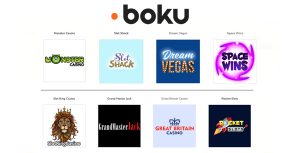 If a casino you like offers Boku, you can deposit in a few steps. Look for the Boku logo or an option such as “Pay by Phone” in the cashier.
To deposit with Boku:
- Open the casino’s Cashier or Deposit page and choose Boku or Pay by Phone.
- Enter your mobile phone number and the amount you want to deposit, keeping to the casino’s limits.
- Pick your mobile carrier if the casino asks.
- Confirm the payment when Boku texts you.
- The deposit shows in your casino balance once the payment is approved, usually within minutes.
The amount is added to your phone bill or taken from your prepaid balance, so check your total before you confirm.
Can You Withdraw With Boku?
 No. Boku is deposit-only. It moves money from your phone bill or prepaid balance to the casino, and there is no way to send winnings back the same way. You will need another method to cash out, such as a bank transfer, an e-wallet, crypto or Interac e-Transfer, depending on what the casino offers. See these withdrawal methods for Canadians for ideas, and check your casino’s cashier for the options it supports. Verify your identity early so your first withdrawal is not delayed.
Boku Casino Fees
Boku does not usually charge players a separate fee, but that doesn’t mean your deposit is free. The casino or your carrier may add charges, so check both your casino’s cashier terms and your carrier’s terms before you deposit.
Advantages and Disadvantages of Boku
The main advantages
You don’t need a card or bank account, and you share very little beyond your phone number. Payments are confirmed by text, so it is quick to use, and it works from your phone, so you can go straight to Android or iPhone slots, mobile video poker or any other game you like. It can also help you keep spending small, since the limits are low.
The main disadvantages
It can’t be used for withdrawals, so you always need a second method to cash out. Deposit limits are low, so it suits casual players rather than high rollers who want to play high stakes games like blackjack. It is also not offered at every casino or by every carrier, and some countries restrict carrier billing for gambling, so it may not be available to you. Finally, spending on a phone bill is easy to lose track of, so keep an eye on your total.
- American Express
- Apple Pay Casinos
- AstroPay Card Casinos
- Bank Wire Transfer Casinos
- BankID Casinos
- Bitcoin Cash Casinos
- Bitcoin Casino Sites
- Blue Rewards Card Casinos
- Brite Casinos
- Canadian Online Casinos With eCheck
- Canadian Online Casinos With Flexepin
- Canadian Online Casinos With iDebit
- Canadian Online Casinos With Inpay
- Canadian Online Casinos With InstaDebit
- Canadian Online Casinos With Interac
- Canadian Online Casinos With MuchBetter
- Canadian Online Casinos With Vanilla Prepaid
- Cardano Casinos
- CashToCode Casino Sites
- Check/Cheque Casinos
- Dash Casinos
- Diners Club Casinos
- Discover card Casinos
- Dogecoin Casinos
- EOS Casinos
- ePay Casinos
- Ethereum Casinos
- eZeeWallet
- FUN Token Casinos
- Giropay Casinos
- Google Pay Casinos
- JCB Casinos
- Jeton Casinos
- KoalaPays Casinos
- Litecoin Casinos
- Maestro Casinos
- MasterCard Casinos
- MasterCard Debit Casinos
- Mifinity Casinos
- Money Transfer Casinos
- MoneyGram Casinos
- MoonPay Casinos
- Neo Casinos
- Neosurf Casinos
- Neteller Casinos
- Noda Pay Casinos
- Nordea Casinos
- Online Bank Transfer Casinos
- Online Casinos With Citadel Instant Banking
- Online Casinos With Online Banking
- Online Casinos With Paysafecard
- Online Casinos With Prepaid Cards
- Pay ID Casinos
- PayPal Casinos
- Paytrail Casinos
- Payz Casinos
- Perfect Money Casinos
- Polkadot Casinos
- PremierPay Casinos
- PugglePay Casinos
- QIWI Casinos
- Quickbit Casinos
- Remitly Casinos
- Ria Casinos
- Siirto Casinos
- Skrill Casinos
- Solana Casinos
- STICPAY Casinos
- Tether Casinos
- Trustly Casinos
- UnionPay Casinos
- UPayCard Casinos
- USDC Casinos
- VISA Casinos
- VISA Debit Casinos
- VISA Electron Casinos
- Voucher Casinos
- WebMoney Casinos
- Western Union Casinos
- Zelle Casinos
Boku Casino FAQs
It uses your mobile phone number to identify you and confirm payments, and a merchant may ask for a little more. You don’t enter card or bank details. See Boku’s privacy policy for exactly what it collects.
Boku’s website has a support section with answers to common questions and contact options. For a problem with a deposit, contact the casino’s support team first, and your mobile carrier for anything on your phone bill.
Usually, but not always. Some casinos exclude certain payment methods from bonuses, so read the bonus terms before you deposit. Boku’s low limits may also keep you from reaching a minimum deposit.
Not automatically. Contact the casino’s support team first, then your mobile carrier if the charge on your bill is wrong. Boku’s support section may also help with payment problems.
Yes, Boku charges are added to your phone bill or taken from your prepaid balance. How the line item is described depends on your carrier, so check your statement or ask your carrier.