Canadian casino players have plenty of payment methods to choose from, and eZeeWallet is one worth a look. It is an e-wallet used for casino payments: you load money into your wallet, then use it to deposit at casinos that accept it and, where offered, to withdraw. Because you pay from the wallet, the casino doesn’t see your card or bank details. Availability for Canadians varies, so check the casino’s cashier and eZeeWallet’s own country list before you plan around it. What is eZeeWallet and why choose it as your online casino payment method?
About eZeeWallet
eZeeWallet is an e-wallet run by a UK-based payments group linked to Emerchantpay, a company with years of experience in online payments. UK-based e-wallets are generally authorized and supervised by the UK Financial Conduct Authority, but check eZeeWallet’s website for its current licensing details instead of relying on older descriptions.
As a Canadian player you may not be familiar with these regulators, and UK oversight does not give you Canadian deposit protection. Still, regulated e-wallets are required to follow identity checks and safeguarding rules, which is a point in their favour. Wallet accounts can be used on desktop and mobile devices, and the wallet is offered by a number of international online casinos, some of which accept Canadian players. Whether you can open an account depends on your country of residence, which you choose when you register.
How to Get Started With eZeeWallet
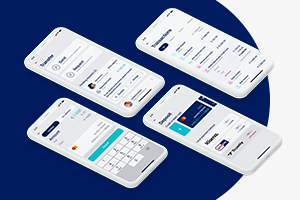 Start on eZeeWallet’s official website and register for a personal account. You will usually need your email address, date of birth, country of residence and full name, plus a password. You also choose your default currency and accept the Privacy Policy and terms and conditions.
Next, verify your account. Expect to provide proof of identity, such as a passport, ID or driving licence, and proof of address, such as a bank statement or utility bill. Verification takes a little time, but it is a normal safeguard for a regulated wallet. It is similar to the identity and age check a casino may ask for. You can usually start the process from the verification option in your account area.
Then add money to your wallet. The funding methods shown depend on your country of residence and can change. In the past, options for Canadian residents have included prepaid vouchers such as Neosurf and Paysafecard. Funding fees, minimums and maximums vary, so check what the wallet shows once you select Canada, and before you pay.
Once your account is verified and funded, you are ready to use it at casinos.
How to Deposit and Withdraw With eZeeWallet
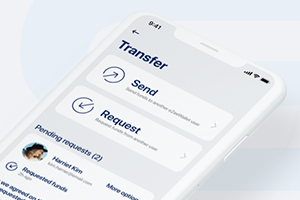 First, find a casino that accepts eZeeWallet. One option is Gamblezen Casino, but you can search for others. Check the cashier before you join, because not every casino offers it, and some limit it by country.
To deposit with eZeeWallet:
- Open the casino’s Cashier or Deposit page and choose eZeeWallet.
- Enter the amount, keeping to the casino’s minimum deposit.
- In the pop-up, log in to your eZeeWallet account.
- Confirm the payment. Deposits usually reach your casino balance within minutes.
You are logging in to your wallet rather than typing card or bank details into the casino, which adds a layer of privacy.
To withdraw your winnings:
- Open the casino’s Cashier and choose Withdraw.
- Pick eZeeWallet, if it is listed as a payout option for your account.
- Enter the amount and your wallet details, then confirm.
- The casino reviews the request. Your first withdrawal usually needs ID checks, and any unmet wagering requirements can delay it.
- Once approved, the money lands in your wallet. E-wallet payouts are often faster than bank methods, but timing depends on the casino.
Not every casino offers eZeeWallet for withdrawals, so check the cashier first.
eZeeWallet Casino Fees
Fees depend on eZeeWallet’s current price list and on how you fund and use the wallet. Funding by some methods can carry a percentage fee, and conversion charges may apply if you use a different currency. Some wallets also charge a fee when an account sits unused for a long period, so check the terms, and keep an eye on any dormant account. Most casinos don’t charge for e-wallet deposits, but check the cashier for withdrawal fees and minimums. Always read the fee table on eZeeWallet’s site before you add money.
Currencies
eZeeWallet supports a range of currencies. The Canadian dollar has been among those offered, but check the registration page to see the current list. Your account uses the currency you pick when you register, and a casino may convert your payments if it holds balances in a different one, so check how it handles conversions.
Where Can You Use eZeeWallet?
eZeeWallet is offered in many countries, including Germany, the US, New Zealand, the Netherlands, India, Australia and South Africa, but the list changes. When you register, the country you choose shows whether you can open an account. Even if you can, the casino must support it too.
Where to Get Help With eZeeWallet
You can email eZeeWallet’s support team at [email protected]. Check its official website for current phone numbers and other contact options, and look at the FAQ section for answers to common questions.
If your problem is with a deposit or withdrawal, contact your casino’s support team as well. Its agents handle payment questions every day and can tell you whether a request is pending, approved or declined.
Conclusion
eZeeWallet can be a useful way to keep your card and bank details away from a casino, and it supports deposits and, at some sites, withdrawals. Availability for Canadians varies, funding options and fees can change, and a wallet needs identity verification before you use it fully. Check eZeeWallet’s terms and the casino’s cashier first, then pick a site that accepts it from among the top Canadian casinos.
eZeeWallet Casino FAQs
It depends. Casinos often don’t charge for e-wallet deposits, but eZeeWallet may charge for funding, currency conversion or inactive accounts, and some casinos charge for withdrawals. Check the wallet’s fee table and the casino’s cashier.
It is a UK-based e-wallet that verifies customers and uses encryption to protect accounts. UK oversight does not give you Canadian deposit protection, so check its licensing details on its website and use strong passwords.
In general, the wallet uses the currency chosen at registration. If you need another currency, ask eZeeWallet support whether you can add one or open a separate account.
Not as far as we know. Funding options depend on your country, so check what eZeeWallet currently offers when you register.
You will usually need proof of identity, such as a passport or driving licence, and proof of address, such as a bank statement or utility bill. Check your account’s verification section for the current list.